
Stop Using Copilot Like ChatGPT. Use These “/” Commands Instead.
Most people use Copilot the same way they use ChatGPT, but...

They open a new chat.
Type a question.
Get an answer.
Repeat.
And honestly, that’s fine.
But if you’re using Microsoft Copilot and you’re not using the forward-slash (/) commands, you’re missing one of the easiest ways to get better results with less typing.
These commands act like shortcuts that tell Copilot exactly what job you want it to do.
Instead of explaining what you need every time, you can simply start with a slash command and let Copilot do the heavy lifting.
Here are the 10 slash commands I use most often.
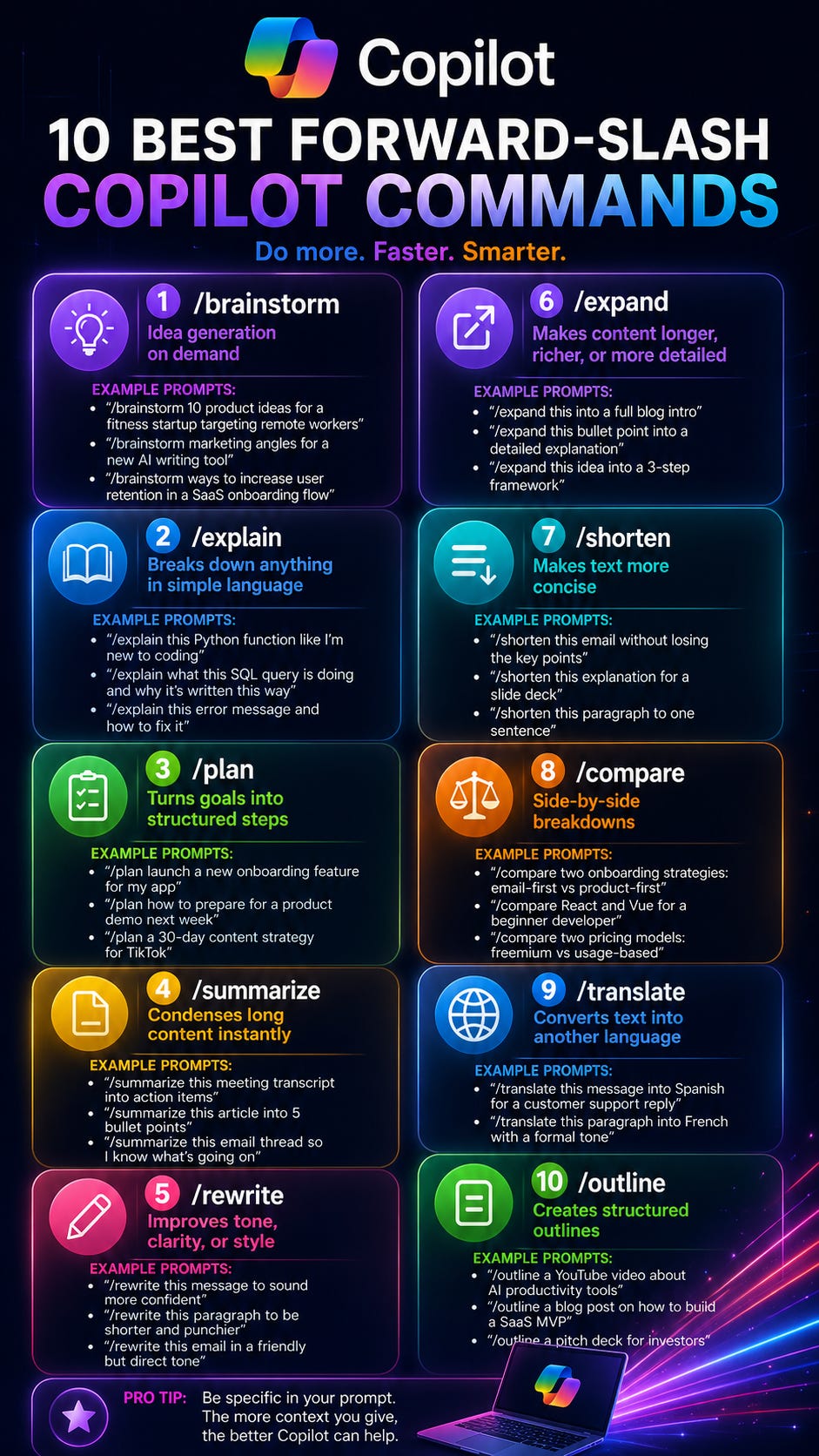
1. /brainstorm
Need ideas?
Start here.
Instead of staring at a blank screen, ask Copilot to generate options for you.
Example:
/brainstorm 10 content ideas for an AI newsletter
Or:
/brainstorm ways to improve employee onboarding
This is great when you’re stuck and need momentum.
2. /explain
This is one of my favorites.
Whenever I run into something technical, I use /explain.
Example:
/explain this SQL query
Or:
/explain this policy document in plain English
Perfect when you’re dealing with technical content, complex reports, or confusing emails.
3. /plan
If you have a goal but don’t know where to start, use /plan.
Example:
/plan a project kickoff meeting
Or:
/plan a 30-day content strategy
Copilot will break the work into manageable steps and help you think through the process.
4. /summarize
This command alone can save hours every month.
Example:
/summarize this email thread
Or:
/summarize this meeting transcript into action items
If your job involves long documents, meeting notes, or endless email chains, this is a must-have.
5. /rewrite
Need something to sound better?
Use /rewrite.
Example:
/rewrite this email to sound more professional
Or:
/rewrite this message to be shorter and more direct
I use this almost daily.
6. /expand
Sometimes you have an idea but need help developing it.
Example:
/expand this bullet point into a blog section
Or:
/expand this concept into a framework
Great for writing, presentations, and documentation.
7. /shorten
The opposite of /expand.
Example:
/shorten this paragraph into one sentence
Or:
/shorten this report into executive-level highlights
This is especially useful when preparing slides or briefing executives.
8. /compare
Need to evaluate options?
Use /compare.
Example:
/compare ChatGPT and Copilot
Or:
/compare two project delivery approaches
This command helps you think through decisions faster.
9. /translate
Simple but powerful.
Example:
/translate this message into Spanish
Or:
/translate this document into French while keeping a professional tone
Useful for global teams and multilingual communication.
10. /outline
One of the most underrated commands.
Example:
/outline a presentation on AI productivity
Or:
/outline a briefing note for executive leadership
Starting with an outline often removes most of the friction from writing.
My Favorite Combination
Here’s a workflow I use regularly:
/brainstorm ideas
/outline the structure
/expand the sections
/rewrite for clarity
/shorten the final version
Five commands.
One complete workflow.
The Real Secret
The command itself isn’t the magic.
The context is.
Bad prompt:
/plan a project
Better prompt:
/plan a six-month project to migrate a government application to the cloud, including stakeholder engagement, procurement activities, risk management, and executive reporting.
The more context you provide, the better Copilot performs.
Think of Copilot less like a search engine and more like a smart employee.
The quality of the instructions determines the quality of the output.
Final Thought
Most people are using Copilot as a chatbot.
The people getting the biggest value from it are using it as a specialized assistant.
The slash commands are one of the fastest ways to make that shift.
Try one of them today.
My recommendation?
Start with:
/summarize
It will probably save you time before lunch.
If you found this useful, subscribe to TERUIO.
I share practical AI workflows for real work, not AI theory.
👉
https://www.teruio.com